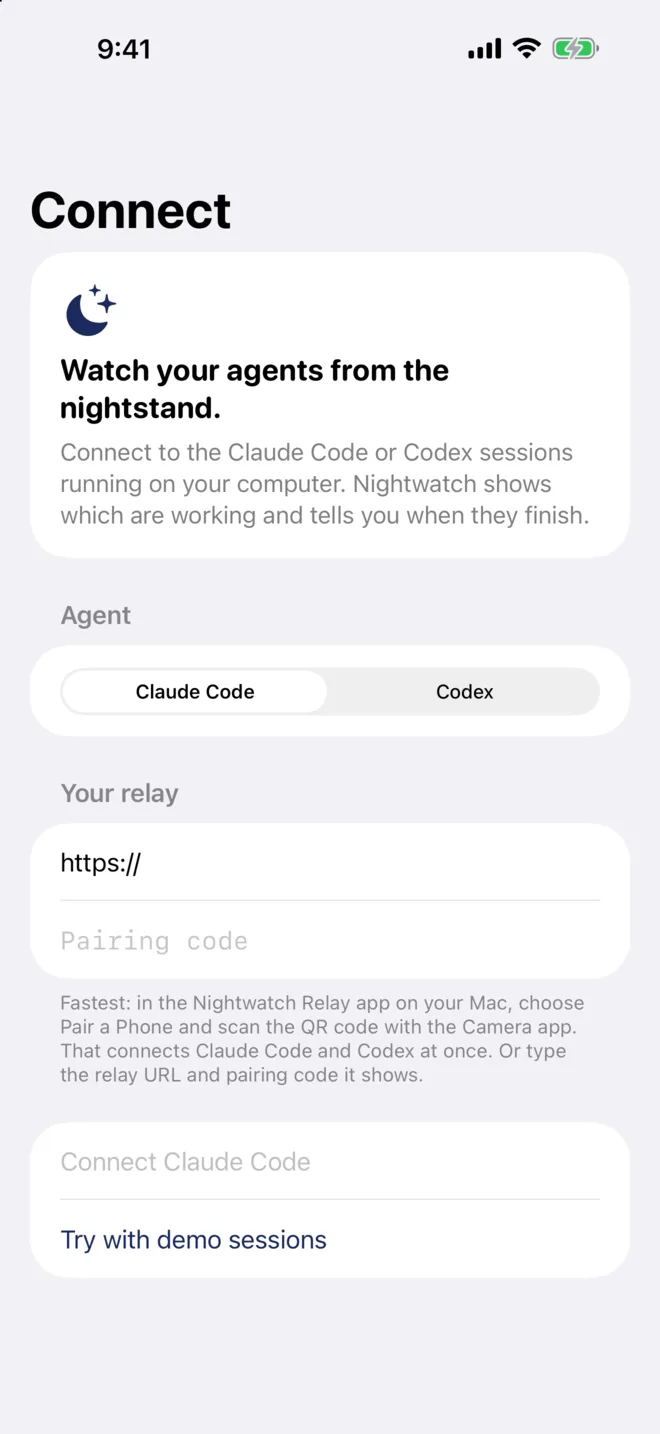
Nightwatch shows the Claude Code and Codex sessions on your Mac on your iPhone: working, finished, or waiting for you. Approve their permission prompts from the Lock Screen.
Free · macOS 15 or later · install notes iPhone app coming soon to the App Store.
Or type the address and codeNo Mac yet? Try the demo
Pair once
Open Nightwatch Relay on your Mac, choose Pair a Phone, and scan the code with the iPhone Camera. Claude Code and Codex connect together, and the phone remembers your Mac’s certificate.
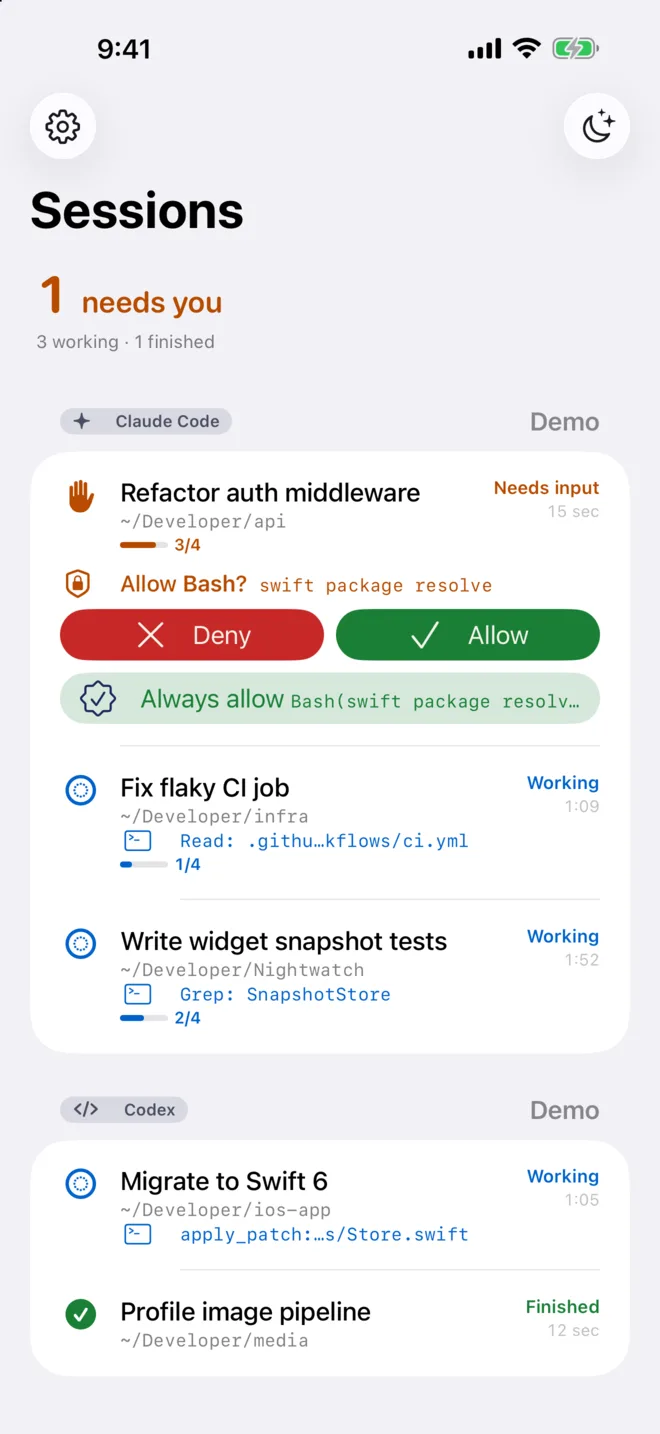
Needs you: answer right hereWhat it’s doing now, and for how long
See every session
Each session says whether it’s working, finished or waiting for you, with the current step (Bash: npm test), how long the turn has run, and Claude’s task list progress. The one that needs you comes first.
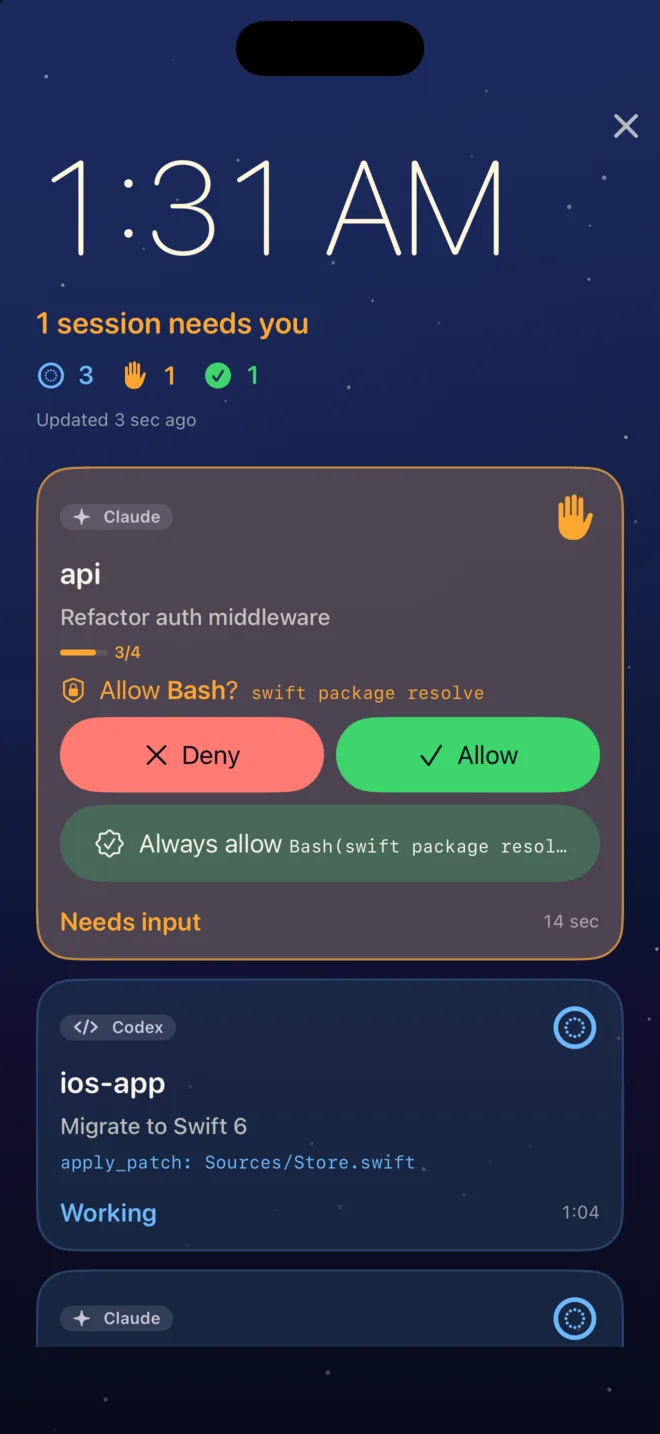
Allow without leaving bed
Dock it by the bed
Put the phone on its side while it charges and Nightwatch becomes a quiet night-sky dashboard. Walk away with Away mode on, and Claude’s prompts wait on your phone, including on the Lock Screen.
Timestamps step back at night
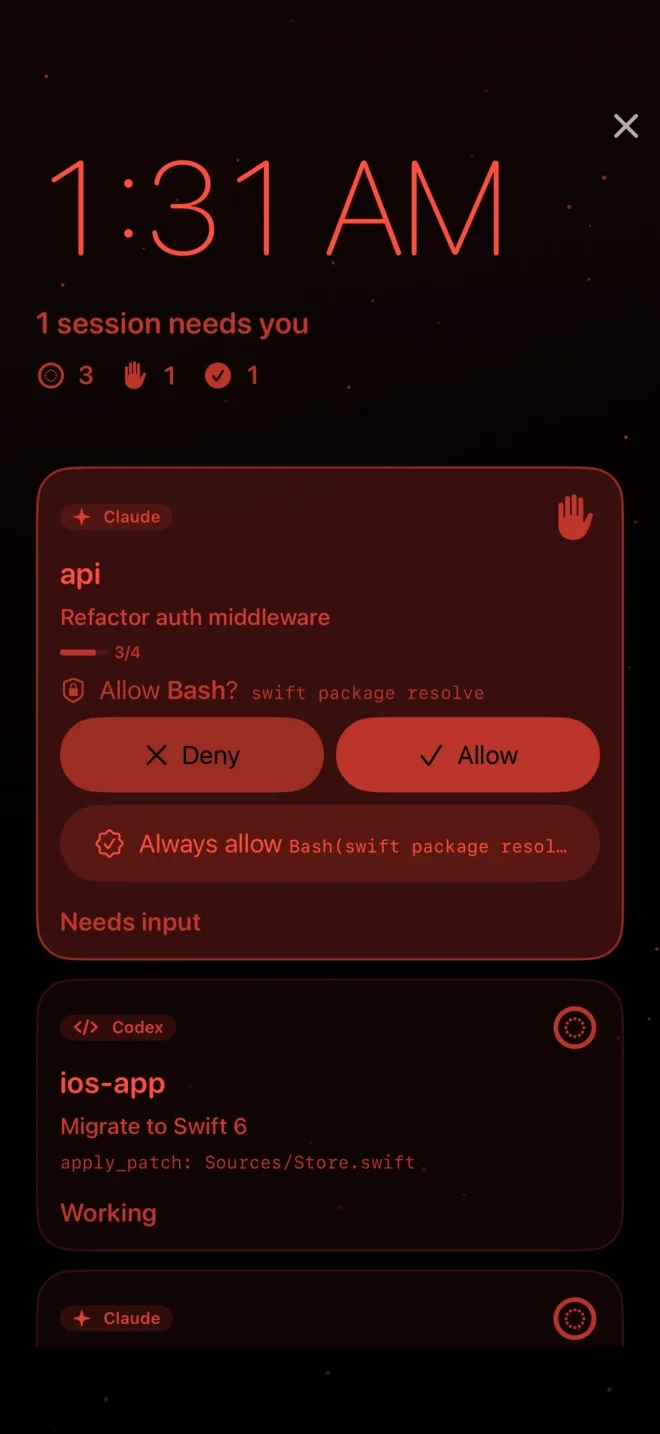
Dims for the night
In a dark room the dashboard turns dim red, like iOS StandBy’s night mode, so it won’t light up the bedroom. Session names and statuses stay readable.
Set up in three steps
Install Nightwatch Relay on your Mac. It runs in the menu bar and collects session updates from Claude Code and Codex.
Choose Set Up Hooks. It adds Nightwatch’s hooks to Claude Code and Codex, keeps your other hooks, and backs up each file first.
Choose Pair a Phone and scan the code with your iPhone.
Your sessions stay yours
Session updates go from your Mac to your phone over your own network or tailnet, encrypted, and the phone accepts only your Mac’s certificate. There’s no account. Lock Screen updates while the app is closed go through Apple’s push service by way of a small relay we run, which forwards them without storing anything. Read the privacy policy.
 Nightwatch